Plug-In Devices

Connect the Vehicles in Your Fleet
For vehicles that don't have a built-in or compatible modem, a plug-in device can get them connected to Ford Pro Software tools like Telematics. Unlock new insights with this data that can help you optimise your business and maximise uptime for your vehicles.
Discover New Vehicle Insights
Extend the power of Ford Pro Software solutions to your entire fleet with an easy-to-install plug-in device.
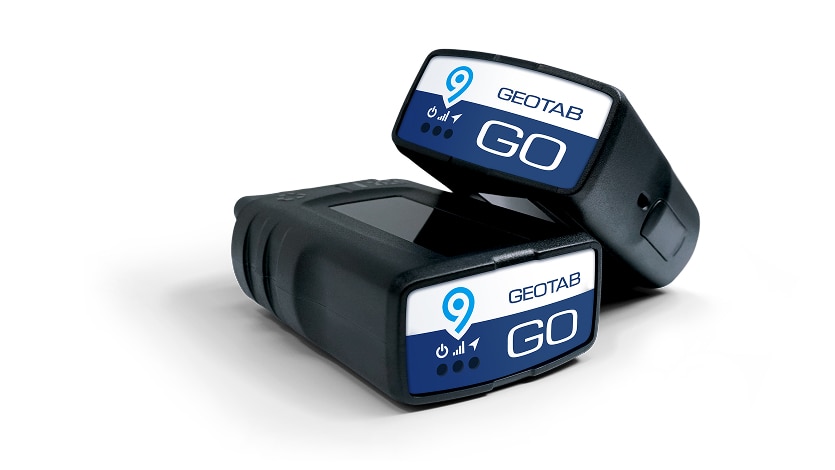
Compatible with Almost Any Vehicle
The Geotab GO 9 connects directly into your vehicle’s OBD II port or with an adapter if necessary. That enables older vehicles, or those from other makes without a compatible modem, to transmit vehicle data back to Ford Pro Software.

Unlock Vehicle Insights in Ford Pro Telematics
Monitor your vehicles Mileage, Speed, including Speed Vs Posted Limits and GPS position in real time to help manage your fleet of vehicles with Ford ProTM Telematics.

We'll Help You Get Set Up and Connected
Our Sales team can help you with pricing information and then ordering a plug-in device. Once you have your device in-hand, connect it to your vehicle, which will automatically add it to your Ford Pro account.
Check Your Vehicle's Plug-In Device Compatibility
See if your vehicle is ready to be equipped with a plug-in device and what data is available to send to Ford Pro Telematics.
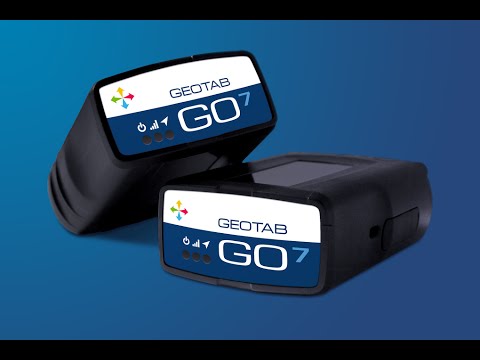 Pause
PauseGet Started with Your Plug-In Device
The first step is to connect the device to your vehicle's OBD II port, usually found under the dashboard. That should be the end of the heavy-lifting on your part.
The PID was automatically attached to your Ford Pro account when it was ordered and your vehicle should appear in Ford Pro within about 3 trips of at least 2 km each.
If you have any questions, please contact us at: softwaresolutions@fordpro.com
The PID was automatically attached to your Ford Pro account when it was ordered and your vehicle should appear in Ford Pro within about 3 trips of at least 2 km each.
If you have any questions, please contact us at: softwaresolutions@fordpro.com
FAQs
Which vehicles require a Plug-In Device?
What signals are available using a PID?
Can I move PIDs between different vehicles?
Where would PID vehicles appear in my Ford Pro Telematics account?
Do I need to enrol my vehicle to a product within my Ford Pro Marketplace account?
Do I need to do anything in Geotab software?
Want to learn more?
Contact our team if you have any questions.
Disclaimer(s)
Imagery and information shown throughout this website may not reflect latest ROI specifications, colours may vary, options and/or accessories may be featured at additional cost and locations and vehicles used may be outside of the ROI.
Ford policy is one of continuous product development. The right is reserved to change specifications, colours of the models and items illustrated and described on this website at any time.